

If you have been searching for a single platform that handles your contacts, sales pipeline, contracts, email campaigns, and even financial scoring, 20NINE might just be the tool you’ve been waiting for. In this in-depth 20NINE review, we break down everything you need to know before signing up.
What Is 20NINE? (Complete Overview of the All-In-One CRM Platform)
20NINE is a cloud-based, all-in-one business platform that combines CRM (Customer Relationship Management), marketing automation, document management, e-signatures, and AI-powered fintech capabilities into a single, unified workspace. Founded and developed for the modern small business, 20NINE positions itself as a “super app” that replaces multiple standalone tools.
Think of it as a command center for your business: you can track leads, send campaigns, sign contracts, monitor payments, and even assess credit risk, all without switching between apps.
Who Is 20NINE For?
- Small and medium-sized businesses (SMBs) looking to streamline operations
- Freelancers and solopreneurs managing multiple clients
- Startups that need an affordable, scalable CRM from day one
- Sales teams that want built-in automation without enterprise pricing
- Financial service providers needing AI-driven credit and risk insights
20NINE is particularly well-suited for businesses in Scandinavia and Europe, where it originated, but its features and integrations make it viable globally.
Key Features of 20NINE CRM (Detailed Breakdown)
CRM & Sales Pipeline Management in 20NINE
20NINE is a CRM, and a capable one. The contact management system allows you to store detailed profiles for prospects, customers, and partners. Each contact record can be enriched with notes, activity history, linked deals, and documents.
- Contact Management: Organize contacts into companies, add tags, and segment by custom fields. Bulk import via CSV is supported.
- Deal Tracking: Visualize your pipeline in a Kanban-style board. Drag and drop deals between stages, assign owners, set close dates, and track deal values in real time.
- Sales Automation: Set up automated follow-ups, task reminders, and stage-based triggers. When a deal moves to a new stage, 20NINE can automatically send an email or assign a task.
The CRM interface is clean and intuitive, making it accessible even for non-technical users. There is no steep learning curve for the core CRM functions.
Marketing Automation & Customer Engagement Tools
20NINE goes beyond contact management with a built-in marketing module that helps you nurture leads and retain customers.
- Email Campaigns: Design and send branded email campaigns directly from the platform. The drag-and-drop email builder includes templates for newsletters, promotions, and onboarding sequences.
- Audience Segmentation: Filter your contact list by deal stage, tags, location, purchase history, or custom attributes. Send the right message to the right people.
- Automated Follow-Ups: Set trigger-based follow-up sequences so no lead falls through the cracks. Combine emails, tasks, and reminders into a single workflow.
While 20NINE’s email marketing capabilities are solid for SMBs, power users who need advanced A/B testing or complex multi-branch workflows may find the toolset somewhat limited compared to dedicated platforms like Mailchimp or ActiveCampaign.
Document Management & E-Signature Features
One of 20NINE’s standout differentiators is its native document management and e-signature functionality, features that most standalone CRMs simply do not offer.
- Contracts & Proposals: Create professional documents directly inside 20NINE using pre-built templates. Attach documents to deals and contacts for full context.
- Digital Signatures: Send documents for e-signature to clients and partners. Recipients can sign online without creating an account, simplifying the process significantly.
- Secure Storage: All documents are stored securely in the cloud, linked to the relevant contact or deal record. Version history and audit trails are maintained automatically.
This built-in capability eliminates the need for third-party tools like DocuSign or PandaDoc for most SMBs, translating into meaningful cost savings.
AI-Based Credit Scoring & Fintech Capabilities
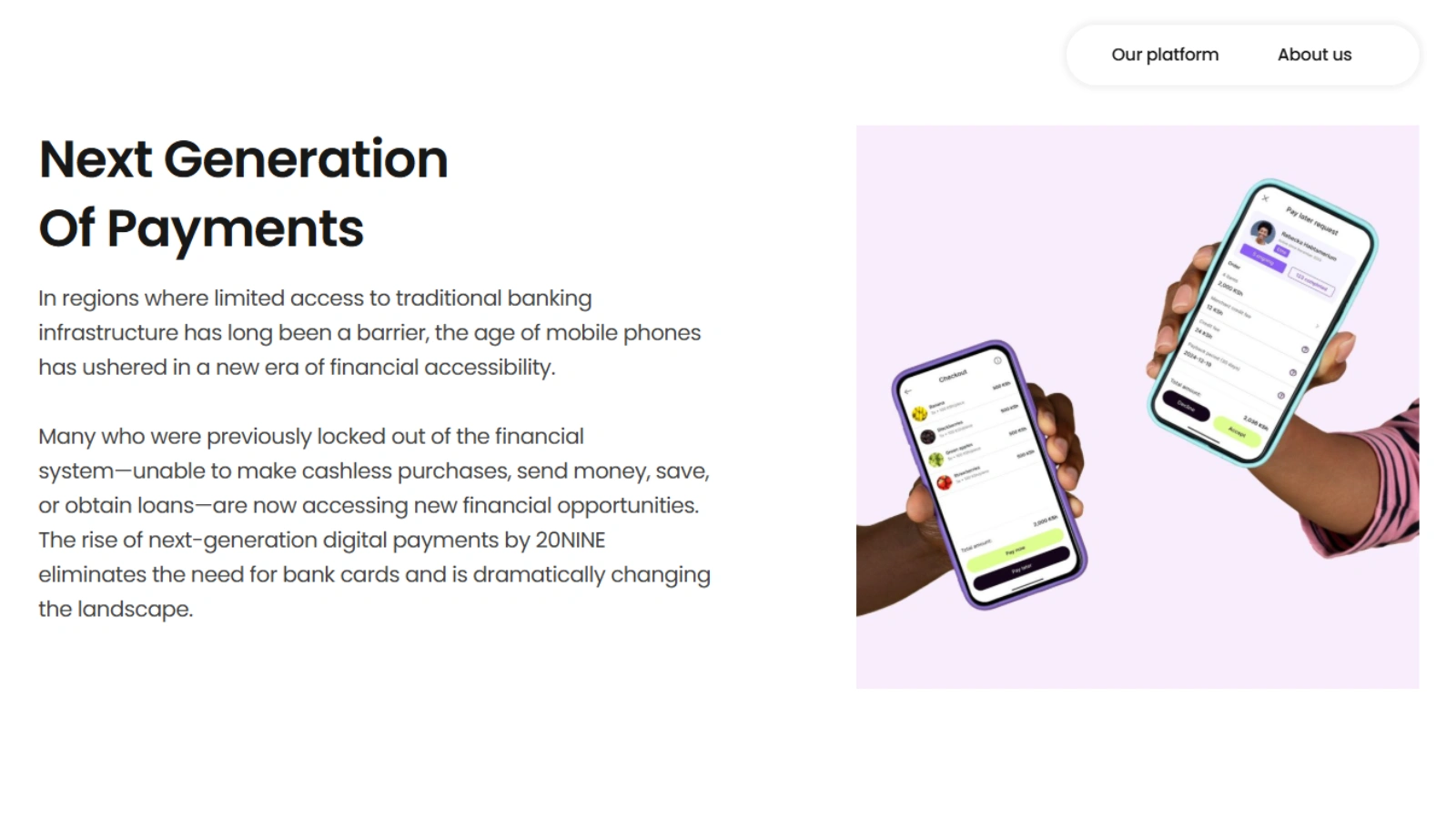
This is where 20NINE truly sets itself apart from conventional CRMs. The platform incorporates AI-powered financial tools that are typically only available in enterprise-grade fintech solutions.
How AI-Based Credit Scoring Works in 20NINE
20NINE’s AI-based credit scoring analyzes available financial data, such as payment history, invoicing patterns, and business transaction records, to generate a risk score for contacts or companies. This helps businesses make smarter decisions about extending credit, offering payment terms, or prioritizing collections.
- Automated Risk Assessment: The AI evaluates multiple data points simultaneously, producing a credit score without manual intervention.
- Payment Behavior Insights: Track how quickly contacts pay invoices and flag patterns that indicate financial risk.
- Financial Insights Dashboard: Get a high-level view of your receivables, outstanding invoices, and cash flow projections.
- Payment Processing: 20NINE integrates with payment gateways to allow businesses to send invoices and receive payments within the platform.
For small businesses that extend credit to clients or manage large invoicing volumes, this AI-driven layer is genuinely valuable, and it is not something you will find in HubSpot or Zoho at comparable price points.
Integrations & Compatibility with Other Tools
20NINE supports integrations with a growing list of third-party tools and platforms:
- Google Workspace (Gmail, Calendar, Drive) for seamless communication and scheduling
- Microsoft 365 for Outlook users
- Accounting platforms for invoice and payment synchronization
- API access for custom integrations with proprietary systems
- Zapier compatibility for connecting to thousands of other apps without coding
The integrations library is not as extensive as HubSpot’s, but it covers the essentials that most SMBs and startups rely on daily.
How 20NINE Works (Step-by-Step Guide for Beginners)
Step 1: Sign Up and Set Up Your Workspace
Getting started with 20NINE is straightforward. Visit the 20NINE website, select your plan (or start a free trial), and create your account. You will be guided through an onboarding flow that prompts you to import contacts, customize your pipeline stages, and connect your email.
Step 2: Explore the Dashboard
The 20NINE dashboard gives you an at-a-glance overview of your business: active deals, upcoming tasks, recent communications, and key metrics. The left-hand navigation menu provides access to all modules, CRM, Marketing, Documents, and Fintech.
Step 3: Build Your Pipeline
Navigate to the Deals section and set up your sales pipeline stages (e.g., Lead, Qualified, Proposal Sent, Negotiation, Closed Won). Add your existing deals or start creating new ones by associating them with contacts.
Step 4: Run Your First Campaign
Go to the Marketing module, select a template, build your email, define your audience segment, and schedule or send your campaign. Results, including open rates, click-throughs, and responses, are visible in the reporting dashboard.
Step 5: Send a Document for Signature
Create or upload a contract, tag it to the relevant deal, add recipient email addresses, and send for e-signature. You will be notified when the document is viewed and signed.
20NINE Pricing (Plans, Free Trial & Value for Money)
20NINE offers a tiered pricing model designed to scale with business needs. While exact pricing may vary by region, the general structure is:
| Plan | Best For | Key Features | Approx. Price |
|---|---|---|---|
| Starter | Freelancers | CRM, Pipeline, Basic Docs | Free / Low-cost |
| Business | Small Teams | CRM + Marketing + E-sign | Mid-range/user/mo |
| Enterprise | Growing Businesses | Full Suite + AI Fintech + API | Custom Pricing |
20NINE does offer a free trial period, which allows you to explore most features before committing. This is a significant advantage for small businesses that want to validate the tool before spending.
Value Verdict: For businesses that would otherwise pay separately for a CRM, email marketing tool, e-signature platform, and invoicing software, 20NINE’s all-in-one pricing represents meaningful value. You are consolidating potentially 4–5 monthly subscriptions into one.
20NINE Review: Pros and Cons (Honest Analysis)
Pros of Using 20NINE CRM
- All-in-One Platform: CRM, marketing, documents, e-signatures, and fintech in a single subscription eliminates tool sprawl.
- Affordable Pricing: Competitive rates compared to enterprise CRMs, especially when factoring in consolidated tool costs.
- AI-Powered Fintech: Credit scoring and financial insights are genuinely unique at this price point.
- Clean, Intuitive UI: The interface is modern and easy to navigate, reducing onboarding friction.
- Built-In E-Signatures: No need for DocuSign or similar tools for standard contracts.
- Good for European Markets: Strong compliance posture and Scandinavian-market features.
- Free Trial Available: Low-risk entry point for evaluation.
Cons of 20NINE
- Learning Curve for Advanced Features: While the basics are easy, the fintech and automation modules require time to configure properly.
- Limited Advanced Marketing Features: Not a replacement for dedicated email marketing platforms if you need complex multi-branch automation or deep analytics.
- Integration Library: Fewer native integrations than HubSpot or Salesforce, though Zapier helps bridge gaps.
- Regional Focus: Some features and support may be more tailored to European users.
- Limited Community Resources: Smaller user community means fewer third-party tutorials and templates compared to market leaders.
20NINE Use Cases (Who Should Use It?)
Small Businesses
Small businesses with 2–50 employees will find the most value in 20NINE. The platform replaces multiple point solutions at a lower combined cost, and its pipeline and document features align well with typical SMB workflows like quoting, contracting, and client management.
Freelancers & Consultants
For independent professionals, 20NINE simplifies client management, proposal sending, contract signing, and follow-up, all without juggling multiple apps. The Starter plan is particularly appealing for solo operators.
Startups
Startups need tools that scale with them without requiring major platform migrations. 20NINE’s tiered plans and feature depth mean it can grow alongside the business. The AI credit scoring is especially useful for B2B startups managing client payment risk.
Sales Teams
Sales professionals benefit from the deal pipeline, automation triggers, and email sequence capabilities. The document and e-signature integration means deals can be closed faster, with fewer handoffs between tools.
20NINE vs Other CRM Tools (Comparison)
| Feature | 20NINE | HubSpot | Salesforce |
|---|---|---|---|
| Core CRM | Yes | Yes | Yes |
| Marketing Automation | Basic–Mid | Advanced | Advanced |
| E-Signatures | Built-in | Paid Add-on | Paid Add-on |
| AI Credit Scoring | Yes | No | Limited |
| Document Management | Yes | Limited | Via AppExchange |
| Pricing (SMB) | Affordable | Free–Expensive | Expensive |
| Integration Library | Growing | Extensive | Extensive |
| Best For | SMBs & Startups | Marketing-Heavy | Enterprise |
20NINE vs HubSpot
HubSpot is the gold standard for inbound marketing and CRM, with a massive free tier and an extensive app marketplace. However, once you need advanced features, HubSpot’s pricing scales quickly. 20NINE wins on built-in e-signatures, AI fintech features, and overall cost for comparable functionality for SMBs.
20NINE vs Salesforce
Salesforce is the enterprise CRM powerhouse, highly customizable but complex and expensive. For small businesses, Salesforce is often overkill and cost-prohibitive. 20NINE is a far more practical and affordable choice for teams under 50 people who do not need Salesforce’s deep customization.
Is 20NINE Worth It in 2026? (Final Verdict)
Yes, for the right business, 20NINE is absolutely worth it in 2026.
The platform has carved out a smart niche: it delivers genuine CRM and sales pipeline capability alongside features, e-signatures, AI credit scoring, and document management that you would normally have to pay for separately or do without entirely at the SMB level.
Who Should Choose 20NINE?
- Small businesses are spending money on 3+ separate SaaS tools for CRM, e-sign, and marketing
- B2B companies that extend credit or manage payment risk with clients
- Startups that want a scalable all-in-one tool from day one
- Freelancers and consultants who want a professional, integrated client management system
Who Should Avoid 20NINE?
Large enterprises requiring deep Salesforce-level customization and integrations
Marketing-heavy organizations needing advanced automation and A/B testing
Teams are already fully embedded in HubSpot’s ecosystem with no desire to migrate
Conclusion: Should You Try 20NINE?
If your small business is stitching together multiple tools to manage contacts, send proposals, sign contracts, and track payments, 20NINE is worth a serious look. It delivers a genuinely integrated experience that saves both time and money.
The platform is not without limitations. If you need enterprise-grade marketing automation or an extensive integration marketplace, you may eventually outgrow certain modules. But for the vast majority of small businesses, freelancers, and startups, 20NINE hits a compelling balance of capability, affordability, and innovation, especially with its AI-powered fintech layer that no direct competitor currently matches at this price point.
Ready to try 20NINE? Start your free trial today and explore how it can consolidate your business tools into one powerful platform.
FAQs About 20NINE Review
Is 20NINE a good CRM for small businesses?
Yes. 20NINE is specifically designed with small businesses in mind. Its clean interface, affordable pricing, and all-in-one feature set make it one of the strongest options for SMBs that want to consolidate tools without sacrificing capability.
How does AI-based credit scoring in 20NINE work?
20NINE’s AI-based credit scoring analyzes payment history, invoicing patterns, and financial transaction data associated with contacts or companies in your database. The AI assigns a risk score that helps you make informed decisions about extending payment terms, prioritizing collections, or flagging high-risk accounts, all automatically, without manual analysis.
Does 20NINE offer a free trial?
Yes. 20NINE offers a free trial period that gives you access to the platform’s core features. This allows you to explore the CRM, pipeline, document management, and marketing tools before committing to a paid plan. No credit card is required to start.
What are the best alternatives to 20NINE?
The best alternatives depend on your priorities. For marketing-heavy workflows, HubSpot CRM is a strong choice (with a generous free plan). For sales-focused teams, Pipedrive is worth considering. For enterprise-grade customization, Salesforce remains the benchmark. If you primarily need document management and e-signatures alongside basic CRM, tools like PandaDoc or Zoho CRM are relevant. However, none of these offer 20NINE’s combination of CRM + e-sign + AI credit scoring in a single platform at SMB-friendly pricing.