
Running a business is hard. Managing money should not make it harder. Yet many founders still struggle with messy spreadsheets, delayed reports, and zero visibility into cash flow. That is where modern accounting software changes the game.
In this guide, we break down everything you need to know in this Xero review for 2026. If you are a founder, startup owner, or growing business leader, this article is built for you. No jargon. No fluff. Just clear insights that help you decide fast.
We look at real user feedback, daily use cases, and practical pros and cons. You will learn how Xero handles invoicing, expenses, payroll, reporting, and integrations. We also cover where it shines and where it may fall short, so you do not face surprises later.
Choosing accounting software is not just about features. It is about saving time, avoiding mistakes, and having numbers you can trust. The right tool helps you make smarter decisions and grow with confidence.
If you are comparing options or thinking about switching from manual systems, this Xero guide will help you see if it truly fits your business goals in 2026.
What Is Xero?
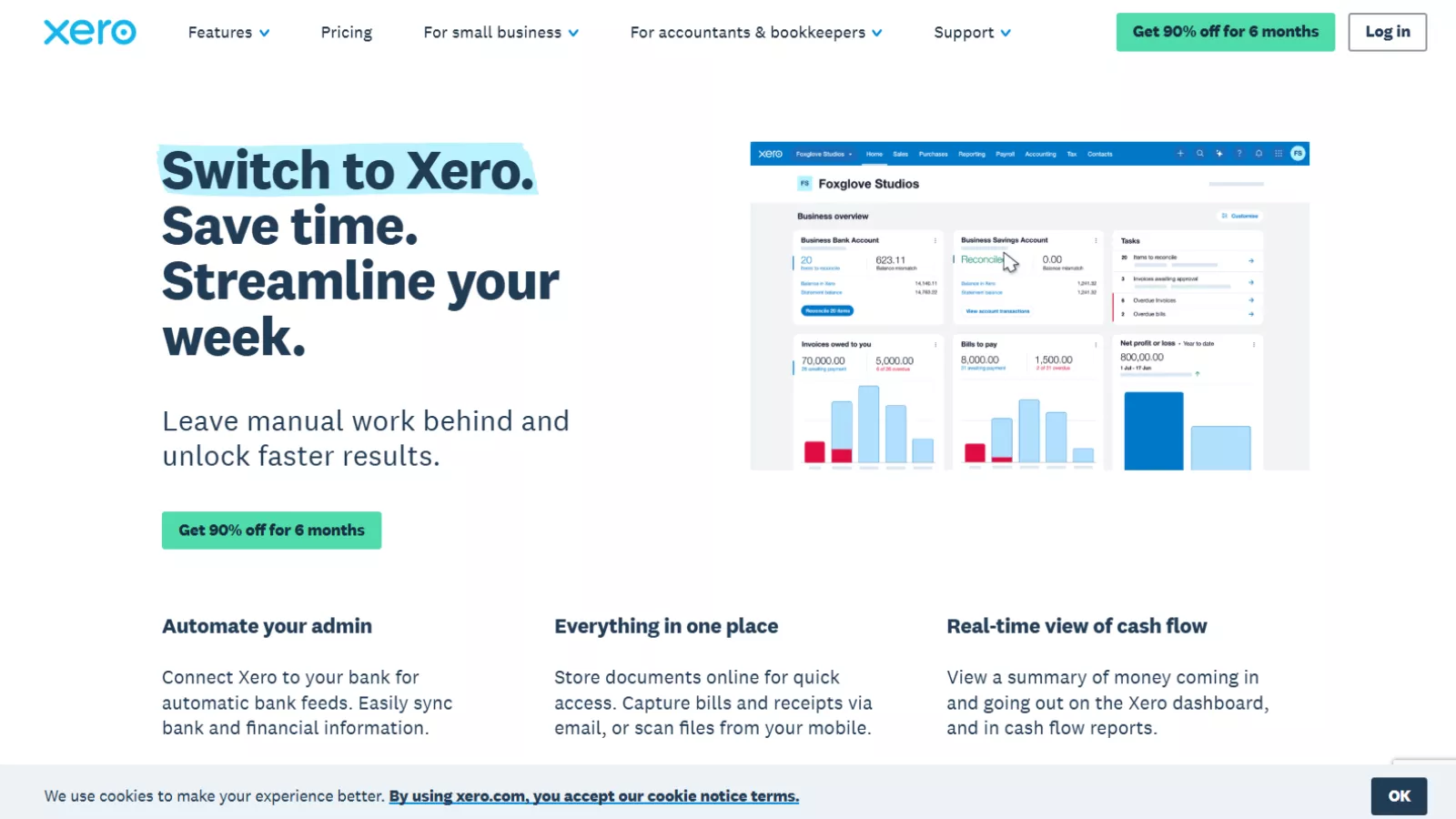
Think of Xero as a smart notebook for your business money. But this notebook does not sit on your desk or get lost in a drawer. It lives safely online. You can open it anytime from your laptop, tablet, or phone. Whether you are at your office, at home, or traveling, your business numbers are always within reach.
Xero accounting software helps business owners understand their money in a very simple way. Instead of juggling spreadsheets or piles of papers, everything is stored in one clean, organized system.
With Xero, you can easily:
- Track money coming in from customers
- Track money going out for expenses and bills
- Send professional invoices and get paid faster
- Record and manage supplier bills
- See easy-to-read financial reports
- Stay ready for taxes all year round
This means less confusion and fewer mistakes. You always know how your business is doing. You can see profits, expenses, and cash flow without needing to be an accounting expert.
Xero is specially designed for small businesses, freelancers, and growing companies that want a simple way to manage their finances. It removes the fear around numbers and replaces it with clarity and control.
Today, millions of users around the world trust Xero to keep their business finances organized, updated, and easy to understand every single day.
Who Should Use Xero?
If you are a founder or small business owner, this tool is built with you in mind. It is especially helpful for people who want to manage their finances without needing advanced accounting knowledge.
Xero works well for:
- Startups trying to stay organized from day one
- Shop owners tracking daily sales and expenses
- Consultants who invoice clients regularly
- Agencies managing multiple projects and payments
- Online sellers handling orders and cash flow
- Service businesses that need clear billing and expense records
If spreadsheets feel confusing or time-consuming, this Xero review will help you see why many non-accountants find it simple and stress-free to use.
Why Business Owners Choose Xero
Running a business already demands your full attention. Sales, customers, staff, and growth plans take up most of your day. Spending extra time doing calculations or checking numbers again and again only adds stress. That is why many business owners choose Xero to handle their financial tasks more efficiently.
People move to Xero because:
- It saves valuable time every week
- It helps reduce manual errors
- It shows a clear picture of your money
- It automates routine accounting work
- It supports your business as it grows
Many founders say using Xero feels like having a small digital accountant working quietly in the background.
Top Features of Xero
Let us break this into very simple parts. Think of Xero accounting software as a helper that handles the money side of your business so you can focus on running the business.
1️⃣ Automatic Bank Data
Normally, when money goes out of your bank, you have to open your spreadsheet and type it in. That is slow. And it is easy to make mistakes. With Xero, your bank can connect securely to your account. Then Xero pulls your transactions automatically.
So, when you pay for rent, fuel, tools, ads, or supplies, those entries show up in your accounting system without you typing them. This saves a lot of time. It also keeps your records fresh and updated, which is important when you need quick answers.
Benefits:
- Less manual work
- Fewer typing errors
- Faster updates to your books
2️⃣ Smart Bank Reconciliation
This sounds big, but it is simple. Reconciliation means matching what your bank shows with what your business records show. For example, if your bank says you paid ₹5,000 to a vendor, your accounting tool should also show the same thing under the correct category.
Xero makes this easier because it learns your pattern. If you always mark “Uber” as “Travel”, or “Meta Ads” as “Marketing”, it remembers. Next time it sees a similar payment, it suggests the category.
You just review it and click “OK”. That is it. What used to take hours can become a quick daily habit.
3️⃣ Invoicing Made Simple
Invoices are how you ask customers to pay. If invoices are messy, payments get delayed. Xero helps you create clean, professional invoices in minutes. You can add your logo, set payment terms, and send invoices directly by email.
It also supports multiple payment options depending on your region, such as card payments or direct debit. This matters because the easier you make payment, the faster you get paid.
Another useful part: Xero can send reminders automatically for overdue invoices. So you do not have to feel awkward messaging clients again and again. This keeps your cash flow healthier, which is a big deal for founders.
4️⃣ Expense Tracking
Small expenses can quietly kill profit. A few subscriptions here, small purchases there, and suddenly your costs are high. Xero helps you track expenses properly.
You can upload receipts, attach them to transactions, or even take photos of bills on your phone (depending on setup and integrations). Expenses can also come in through bank feeds, so you do not miss anything.
This means no more lost paper bills. And no more guessing during tax time.
5️⃣ Bills and Payments
Invoices are money coming in. Bills are money going out. Xero helps with both. You can add supplier bills, set due dates, and track what is pending.
This is important because late payments can lead to penalties, damaged supplier relationships, or service interruptions. With Xero, you can see upcoming bills clearly, plan your cash flow, and pay on time.
Everything stays organized in one place, instead of being scattered across emails, WhatsApp messages, and screenshots.
6️⃣ Financial Reports
Reports are not scary. Reports are just summaries of what happened to your money. Xero can generate reports like:
- Profit and loss (are you earning or losing?)
- Balance sheet (what you own vs what you owe)
- Cash flow (how money moves in and out)
These reports help you make decisions. For example, if your profit is good but cash is low, it could mean customers are not paying on time. If expenses are rising, you can see exactly where.
Even if you are not an accountant, Xero’s reporting is built to be understandable. This is why many founders like this part of the Xero accounting software.
7️⃣ Real-Time Dashboard
When you open Xero, you get a simple dashboard. It shows key numbers at a glance, like money in, money out, invoices waiting, and bills to pay.
This dashboard is like a daily health check for your business. Instead of guessing, you can see what is happening right now.
8️⃣ Payroll and Workforce Tools
If you have employees, payroll becomes another headache. In some regions, Xero supports payroll tools to track wages, payments, and records.
This helps when your team grows because you do not want salary management to become a monthly stress. Even when payroll is not available directly in your region, Xero often works with payroll apps through integrations.
9️⃣ Project Tracking
If your business runs on projects—like agencies, consultants, or service providers—project tracking is very useful. You can track income and expenses by project inside Xero.
This shows which projects are profitable and which ones are eating time and money. It helps you price better, plan better, and stop repeating loss-making work.
🔟 App Integrations
Think of Xero as the center of your finance system. Many other tools can connect to it. This includes inventory tools, CRM tools, e-commerce platforms, payment gateways, and more.
This flexibility is powerful because every business works differently. You can build your own setup based on what you need. That is why integrations are often mentioned as a major strength in any detailed review.
Meet JAX – The AI Helper
Xero also comes with a smart assistant called JAX. Think of JAX as a digital helper that works quietly in the background while you run your business. It looks at your financial data and helps you handle small but important tasks faster.
JAX can help you:
- Get clear answers about your business numbers
- Understand financial data in simple language
- Create and send invoices more quickly
- Automate small, repetitive accounting tasks
- Save time on everyday admin work
Instead of digging through reports or doing everything manually, you can rely on JAX for quick support. It reduces routine work and helps you stay on top of your finances without extra stress.
The goal of JAX is to make accounting feel less heavy and more manageable. While it handles simple tasks in the background, you get more time and mental space to focus on growing your business and serving your customers better.
How to Start Using Xero (Step by Step)
Let us keep this very simple. Getting started with Xero does not require accounting knowledge. You just move step by step.
Step 1: Sign Up
Go to the Xero website and create your account. You can begin with the free trial, which lets you explore the features before paying. During signup, you will enter basic details like your email and password. Once inside, you will see a clean dashboard that guides you through the setup process.
Step 2: Connect Your Bank
Next, connect your business bank account securely. Xero links with many banks and can automatically import your transactions. This means your income and expenses start appearing in your system without manual typing. It saves time and keeps your records updated from day one.
Step 3: Add Business Details
Now, enter your company information. Add your business name, logo, address, and tax details. This information will appear on your invoices and reports. Setting this up early helps keep everything professional and accurate.
Step 4: Send Your First Invoice
Create your first invoice for a customer. Add their name, services or products provided, price, and payment terms. Then send it by email directly from Xero. This shows you how simple billing can be.
Step 5: Add Bills
Record the bills you need to pay, such as rent, utilities, or supplier payments. Set due dates so you do not miss anything.
Step 6: Check the Dashboard
Finally, make it a habit to open your dashboard daily. It shows money in, money out, and what needs attention. That is why many beginners say onboarding feels smooth and easy.
Also Read
QuickBooks Online Review: Why Small Businesses Still Rely on It?
Is FreshBooks A Good Free QuickBooks Alternative? -FreshBooks Review 2025
Pricing Plans
Xero offers flexible plans to suit different business stages. All plans include secure cloud access, 24/7 online support, and the option to cancel with one month’s notice. There is also a free trial, so you can explore before paying. Right now, there is a special discount for the first three months.
| Feature | Starter | Standard | Premium |
Discounted Price (First 3 Months) |
$5.80/month | $10/month | $15/month |
| Regular Price | $29/month | $50/month | $75/month |
| Best For | Freelancers & new businesses | Growing small businesses | Established businesses with advanced needs |
| Send Invoices & Quotes | Send quotes + up to 20 invoices | Unlimited invoices | Unlimited invoices |
| Accept Online Payments | Yes | Yes | Yes |
| Enter Bills | Enter up to 5 bills | Unlimited bills | Unlimited bills |
| Bank Reconciliation | Yes | Yes | Yes |
| Auto Reconcile (Beta) | Yes | Yes | Yes |
| Capture Bills & Receipts (Hubdoc) | Included | Included | Included |
| Real-Time Reports | Yes | Yes | Yes |
| Cash Flow Forecasting | 30 days | 30 days | 180 days |
| Performance Graphs | Yes | Yes | Yes |
| Bulk Reconciliation | No | Yes | Yes |
| Financial Health Scorecards | No | Yes | Yes |
| Custom Dashboards | No | Yes | Yes |
| KPI & Ratio Analysis | No | Yes | Yes |
| Multi-Currency Support | No | No | Yes |
| Claim Expenses (Add-on) | Optional ($4/month) | Optional ($4/month) | Optional ($4/month) |
| Project Tracking (Add-on) | Optional ($7/month) | Optional ($7/month) | Optional ($7/month) |
| Analytics Plus (Add-on) | Optional | Optional | Optional |
| Support | 24/7 Online Support | 24/7 Online Support | 24/7 Online Support |
| Security | Secure Cloud Platform | Secure Cloud Platform | Secure Cloud Platform |
| Contract Flexibility | Cancel with 1-month notice | Cancel with 1-month notice | Cancel with 1-month notice |
Pros of Xero
Let us make it clear and short.
✅ Easy for non-accountants
✅ Automatic bank feeds
✅ Smart suggestions
✅ Clean dashboard
✅ Strong app integrations
✅ Good for small teams
✅ Cloud-based, so access anywhere
These are common points mentioned in every Xero review online.
Cons of Xero
No tool is perfect.
❌ Can feel confusing at first
❌ Some features cost more in higher plans
❌ Payroll is not available in all countries
But most users say the benefits are bigger than the problems.
Xero vs Other Tools
Founders always compare before buying.
vs QuickBooks
QuickBooks is strong. But some users find Xero easier to use.
vs FreshBooks
FreshBooks is great for invoicing. But Xero offers more full accounting features.
Many small businesses switch after reading a detailed Xero review like this.
Is Xero the Best Accounting Software for You?
Ask yourself:
Do you want to save time?
Do you hate spreadsheets?
Do you want clear money reports?
Do you want automation?
If yes, Xero might be the best accounting software for your stage of business.
Final Thoughts
Money management should not give you stress. It should give you clarity. Confidence. Control.
This Xero review shows that </span>Xero accounting software<span style=”font-weight: 400;”> is made for real business owners, not just accountants. It automates boring tasks. It shows your numbers clearly. It helps you make smarter decisions.
For founders in 2026, tools like Xero are no longer optional. They are part of running a smart business.
If you want less confusion and more control over your money, trying Xero could be a very smart next step.
FAQs About Xero
- Can Xero really replace my accountant?
Not exactly, but it can reduce how much time your accountant needs to spend on basic tasks. Xero keeps your records clean and organized, which means fewer errors and lower accounting costs. Your accountant then focuses on strategy instead of fixing messy books. - What happens if I make a mistake in Xero?
No need to panic. Xero keeps a detailed history of changes, so you can review and correct errors. This makes it safer than a manual spreadsheet, where mistakes can go unnoticed. - Is Xero difficult for someone with zero finance background?
Surprisingly, no. Many small business owners with no accounting experience use it daily. The dashboard is simple, and most features are guided step by step. - Can I use Xero on my phone while traveling?
Yes. Xero is cloud-based, which means you can check invoices, expenses, and reports from your phone or laptop wherever you are. - Will Xero still work when my business grows bigger?
Yes. Xero is built to scale. As your business grows, you can add more features, users, and integrations without changing your entire system.