
There is a specific kind of painful that comes from running a service business and realizing your revenue process is held together with a proposal tool over here, a contract template over there, a separate invoicing platform, and a spreadsheet connecting all of it. Every new client means touching four different systems. Every late payment means chasing manually because nothing is connected. Ignition was built to replace all of that with one platform. The pitch is simple: sell, bill, and get paid from a single place. But a pitch is just a pitch. What the platform actually does, how it is priced, and whether it is the right tool for your business is what this review covers.
I spent time going through the live Ignition platform, the product pages, pricing structure, and feature set in full. Here is what you actually need to know.
What Ignition Is, And Who It Is Built For
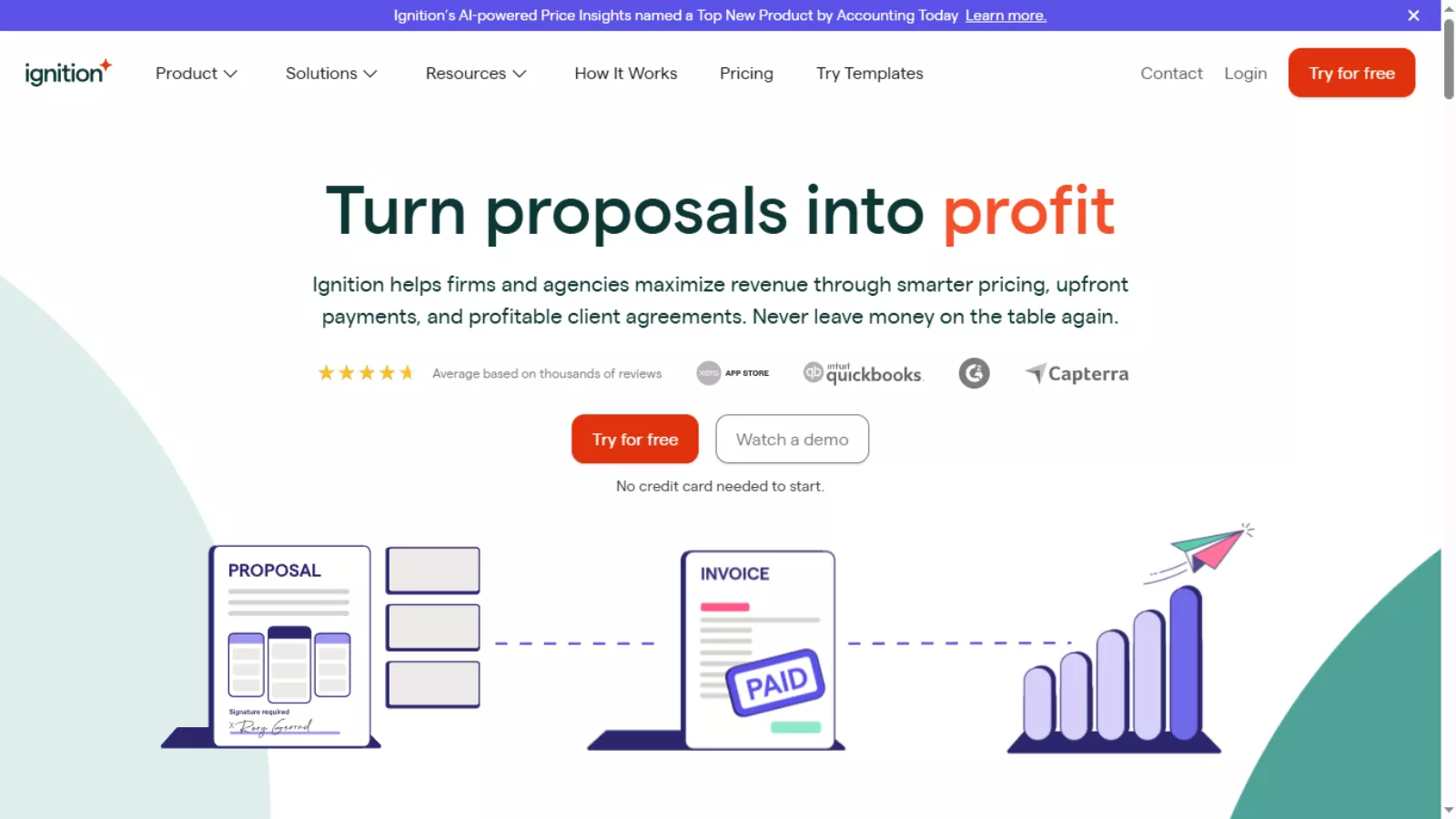 Ignition is a revenue operations platform designed specifically for service-based businesses. It is not a general invoicing tool or a generic proposal builder. The platform is purpose-built for accountants, bookkeepers, marketing agencies, consultants, financial advisors, and professional services firms of any size.
The core idea is that your revenue lifecycle has a natural sequence: you capture a lead, send a proposal, get the engagement letter signed, collect payment details, and then billing runs automatically based on what was agreed. Most businesses handle each of those steps with separate tools that do not talk to each other. Ignition connects them into a single workflow where one action triggers the next.
When a client signs a proposal inside Ignition, their payment method is collected at that exact moment. Billing then begins automatically on the schedule defined in the proposal. No manual invoice creation. No separate payment request. The revenue just flows from the signed agreement forward.
The platform has earned recognition across the industry. It holds G2 Grid Leader status in proposal software, contract management, and e-signature categories. It is SOC 2 Type 2 certified, which matters for firms handling sensitive financial data. User ratings across Capterra, GetApp, and Software Advice consistently sit at 4.7 out of 5.
Ignition Core Features: What the Platform Actually Does
Professional Proposals
The proposal builder is where most users spend the majority of their time in Ignition, and it is clearly where significant development effort has gone. You build proposals from a service catalog you define in advance, so pricing and scope are predefined rather than invented fresh for each engagement.
Pre-built templates covering bookkeeping, tax preparation, CFO services, consulting packages, and more are available out of the box. Everything is customizable: service descriptions, pricing, payment terms, billing schedules, and the engagement letter that gets bundled into the same document the client signs. Custom branding, your own domain on proposal links, and the ability to embed videos and landing pages are available on higher plans.
The result is proposals that go out looking like they came from a professional firm rather than something assembled in a Google Doc at 11pm.
Contracts and Engagement Letters
One of the features that genuinely separates Ignition from a standalone proposal tool is the built-in engagement letter functionality. Rather than sending a proposal and then following up with a separate document to be signed, Ignition bundles the engagement terms into the same proposal the client reviews and signs in one step.
Templates are pre-built and customizable, covering different service types and client engagements. This removes an entire back-and-forth from your onboarding process and ensures every client is on a signed, clear agreement before work begins.
Centralized Billing
Billing in Ignition is tied directly to what was agreed in the signed proposal. Whether you are running recurring fixed-fee retainers, hourly billing, upfront payments, or milestone-based projects, the billing schedule is defined in the proposal and activates automatically once signed.
You can manage all client billing from a single view, handle out-of-scope work billing instantly without creating a separate invoice, and adjust schedules without starting the whole agreement process from scratch. For firms managing 20, 50, or 100 clients simultaneously, this centralized view is genuinely meaningful.
Client Payments
This is where Ignition’s design philosophy becomes most obvious. Payment details are collected from the client during the proposal signing process, before work begins. Once the agreement is signed, invoicing and fee collection happen automatically based on the billing schedule.
The practical outcome is that you never need to chase a client for payment details after the fact, and you never need to send a manual invoice for recurring work. The 14-day free trial lets you collect up to $10,000 in payments with zero transaction fees, which is a meaningful way to test the payment flow with real clients before committing.
AI Price Insights
Ignition’s AI Price Insights feature analyzes real proposal data from across the platform to deliver tailored pricing benchmarks for your services. It was recognized as a Top New Product by Accounting Today in 2025.
In practical terms, it gives you a market-informed view of what similar businesses are charging for comparable services. Instead of guessing whether your bookkeeping retainer rate is competitive or leaving money on the table, you get actual benchmarks with pricing suggestions and reasoning behind them.
Price Insights is available as a paid add-on (covered in the pricing section below), which keeps it off the base plan cost for businesses that do not need it.
Deals Pipeline
The Deals feature gives Ignition a built-in sales pipeline. You can create and track leads, assign deals, customize pipeline stages, visualize your sales funnel, and link proposals directly to deals. This is a meaningful addition for firms that previously had no structured view into where prospective clients were in the pipeline.
Deals is also available as a paid add-on for plans where it is not included by default.
Branded Forms
Ignition Forms let you collect structured information from leads and clients before a proposal is sent. You can send them via link, embed them on your website, or use them as intake or onboarding questionnaires. Forms replace the unstructured back-and-forth emails most firms use to qualify new clients and gather the information needed to scope a proposal.
Integrations
Ignition connects with the tools that professional services firms actually rely on. Xero, QuickBooks, Karbon, Gusto, Zapier, Slack, ProConnect, Xero Practice Manager, Financial Cents, Thomson Reuters Onvio, Jetpack Workflow, and more are in the integration catalog.
The Karbon integration is notably well-built. When a proposal is accepted, client details sync to Karbon automatically and the appropriate work templates trigger without manual setup. The gap between signed agreement and active work delivery closes in seconds rather than days.
Ignition Pricing: The Full Picture
Ignition Pricing Explained in Plain English
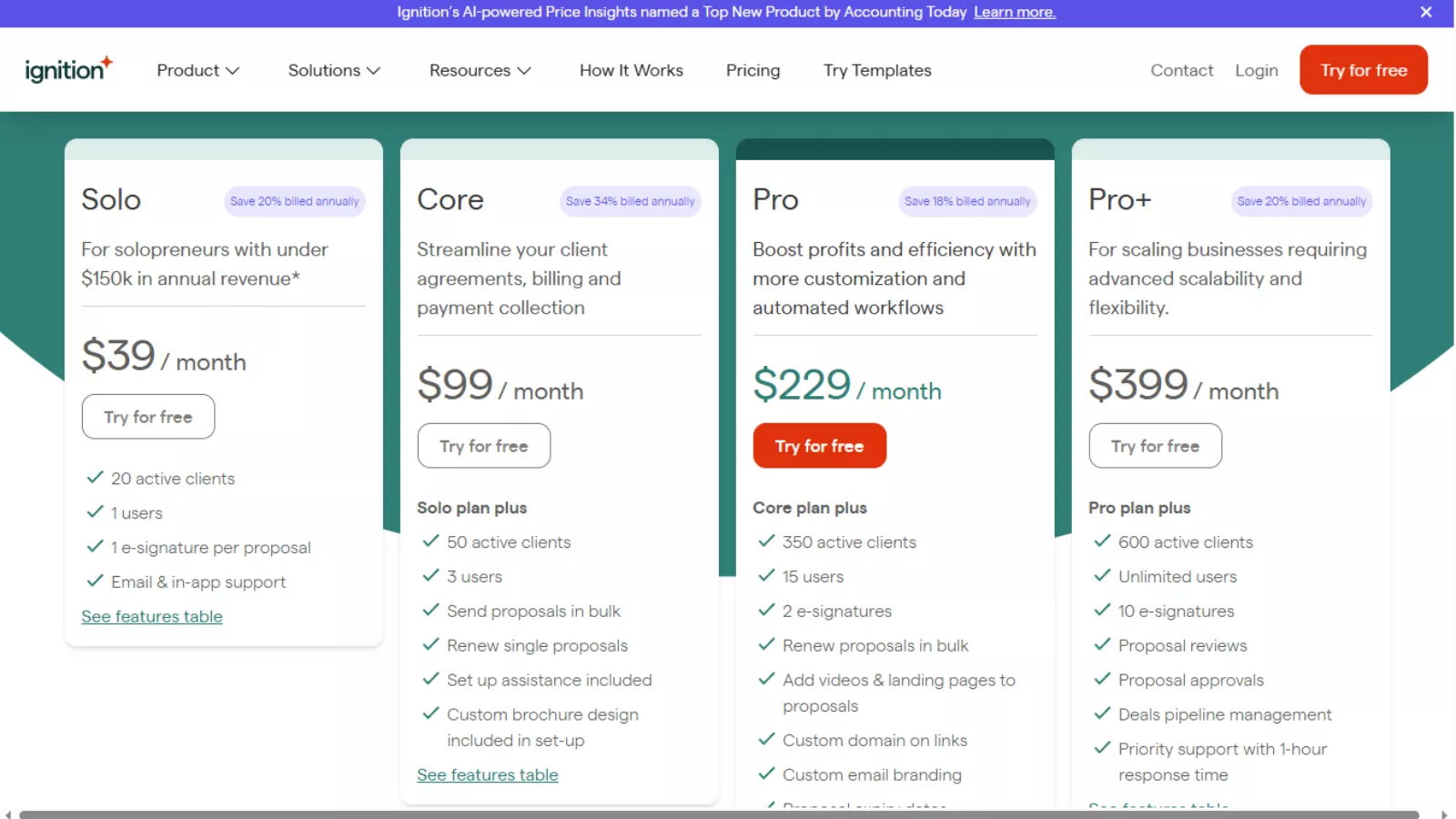
Ignition has four plans, and each one is designed for a different stage of business growth. Here is what each plan actually means for you, without the jargon.
Solo Plan: $39/month
Who it is for: Freelancers and one-person businesses earning less than $150,000 per year.
Think of this as the “just me” plan. You get one login, you can manage up to 20 paying clients at a time, and each proposal you send can have one signature spot. Support comes through email and in-app chat. If you are a solo bookkeeper, consultant, or accountant just getting started and you want to stop chasing invoices manually, this is your entry point. The eligibility rule is important though: you must earn under $150k annually and connect either Xero or QuickBooks to qualify. It saves 20% if you pay annually instead of monthly.
Core Plan: $99/month
Who it is for: Small teams that need to streamline proposals, billing, and client agreements.
This is where Ignition starts becoming a team tool. You go from 1 user to 3 users, and your client cap jumps from 20 to 50. The big upgrades here are the ability to send proposals in bulk instead of one at a time, renew existing proposals easily, and get hands-on setup help from the Ignition team when you join. They even include a custom brochure design in your onboarding. This plan saves 34% annually, which is the biggest discount of any tier, making it the best value plan on a percentage basis if you can commit to a year.
Pro Plan: $229/month
Who it is for: Growing firms that need more customization, more automation, and a bigger team.
The jump to Pro is significant. You go up to 15 users and 350 active clients, which covers most mid-sized professional services firms comfortably. The features that matter most at this tier are the ability to add videos and landing pages directly inside proposals (which makes your pitch more compelling to prospects), your own custom domain on proposal links (so it looks like your brand, not Ignition’s), custom email branding, and the option to bulk-renew proposals when your annual client agreements roll over. This is the plan where Ignition starts replacing not just your billing tool but your sales process too. It saves 18% annually.
Pro Plus Plan: $399/month
Who it is for: Scaling businesses that need unlimited users, compliance controls, and priority support.
Pro Plus is the enterprise-grade tier without the custom enterprise pricing conversation. You get 600 active clients, unlimited users so you are not paying per seat as your team grows, 10 e-signature slots per proposal for complex agreements, and the ability to have proposals reviewed and approved internally before they go out to clients. The Deals pipeline management feature is included, which gives you a full sales pipeline view alongside your billing operations. You also get priority support with a guaranteed one-hour response time. Annual billing saves 20%.
Also Read
QuickBooks Online Review: Why Small Businesses Still Rely on It?
What Ignition Does Well
The proposal-to-payment connection is seamless in a way that most tools in this space have not achieved. Collecting payment details during the signing process rather than after work is completed is a structural change that removes an entire category of administrative friction from your revenue operations.
The service catalog approach to proposals ensures consistency across your client base. You are not recreating scope and pricing from scratch every time. Predefined services standardize your offerings and keep pricing decisions informed and intentional rather than ad hoc.
The integration depth covers the tools that professional services firms use daily. These are not decorative integrations. They trigger real workflow actions when proposals are accepted, which is the part that actually saves time at scale.
The add-on model is honest. Features like Deals, Forms, and Price Insights are priced separately rather than bundled into an inflated base plan, which means smaller firms only pay for what they actually need.
5 Alternative Tools To Ignition
Here are 5 alternative tools to Ignition:
1. HoneyBook — An all-in-one client management platform for freelancers and small businesses that combines contracts, invoices, and payments in a single workflow.
2. Bonsai — A freelancer-focused business tool that handles proposals, contracts, time tracking, and automated invoicing with a clean, minimal interface.
3. PandaDoc — A document automation platform built for sales teams that covers proposals, quotes, contracts, and e-signatures with deep CRM integrations.
4. Practice — A client management software designed specifically for coaches and consultants that combines scheduling, invoicing, contracts, and client communication in one place.
5. Dubsado — A business management tool for service providers that automates client onboarding, proposals, contracts, invoicing, and follow-up workflows from a single dashboard.
6.QuickBooks — Quickbook a leading accounting platform that covers invoicing, payment collection, and financial reporting, making it a strong alternative for the billing side of Ignition without the proposal and contract functionality.
Where Ignition Has Limitations
Ignition is intentionally specific. It is built for service businesses that sell through proposals and manage ongoing client billing. Product businesses, e-commerce operations, or any firm that does not have a proposal-driven revenue model will find limited fit here regardless of the plan.
The platform has a learning curve on first use. The logic of how service catalogs connect to proposals, which connect to billing schedules, which trigger payment collection, is coherent once understood but takes time to map out. New users should expect to spend genuine time in the platform before sending live proposals to real clients.
Who Should Use Ignition
Ignition is the right platform for any professional services business that sends proposals, manages ongoing client billing, and is tired of handling those things across multiple disconnected tools. Accounting firms, bookkeeping practices, consultants, agencies, and financial advisors are the primary audience.
It is particularly valuable for businesses that are scaling and need their revenue operations to keep pace without adding administrative headcount. The automation built into the proposal-to-payment workflow means that growing from 20 clients to 80 does not require a proportional increase in billing management effort.
FAQs
What does Ignition do?
Ignition is a revenue platform for professional services businesses. It handles proposals, engagement letters, billing, and payment collection in one connected platform. When a client signs a proposal, payment collection begins automatically based on the terms defined in the agreement.
Who is the Solo plan for?
The Solo plan is designed for solopreneurs with one Ignition user license. Eligibility requires annual business revenue under $150,000 and connecting Xero or QuickBooks Online to the account.
Is there a free trial?
Yes. Ignition offers a 14-day free trial with access to all features and no credit card required. You can collect up to $10,000 in payments with zero transaction fees during the trial period.
What are the add-on costs?
The Deals Pipeline and Online Forms add-ons each cost $49 per month for plans where they are not included by default. The AI Price Insights add-on is $349 billed annually, which works out to approximately $29 per month.
Final Verdict
Ignition solves a real problem for a specific audience, and it solves it well. The proposal-to-payment automation removes the administrative friction that service businesses waste hours on every month. The service catalog approach brings consistency to pricing and scope. The integration ecosystem connects Ignition to the practice management tools firms already use.
The add-on pricing model keeps the base cost reasonable and lets you build the feature set you actually need rather than paying for capabilities you will never touch.